
Consular documents and certificates online
A consular certificate is a short document, often urgent, and almost always demanded by a third party who must be able to verify it. The paper route fails on all three counts at once.
A catalogue specific to each branch
The documents issued differ from one mission to the next: the catalogue is defined per branch, each type carrying its label, price, expected supporting documents and stated turnaround.
So the applicant discovers neither a document unavailable in their jurisdiction nor a price after the fact: both price and turnaround are shown before the request.
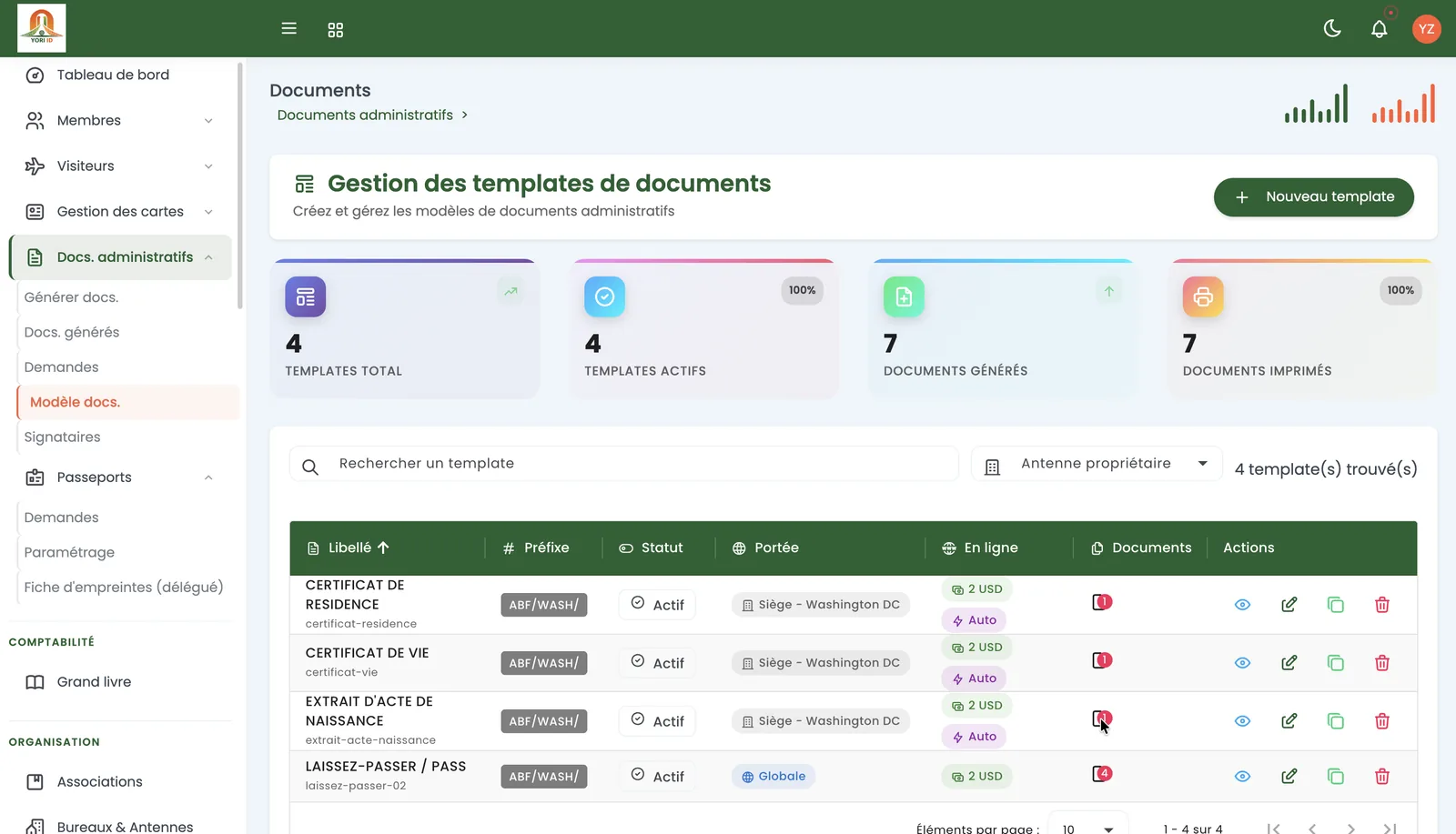
Instant issuance or officer review
Not all documents are alike. Some are generated automatically and emailed within a minute of submission — and payment, where applicable. Others require an officer: verification, signature, seal.
The document type carries that distinction, and the applicant sees it before paying. Promising instant issuance on a document that will take ten days is the surest way to lose a user's trust.
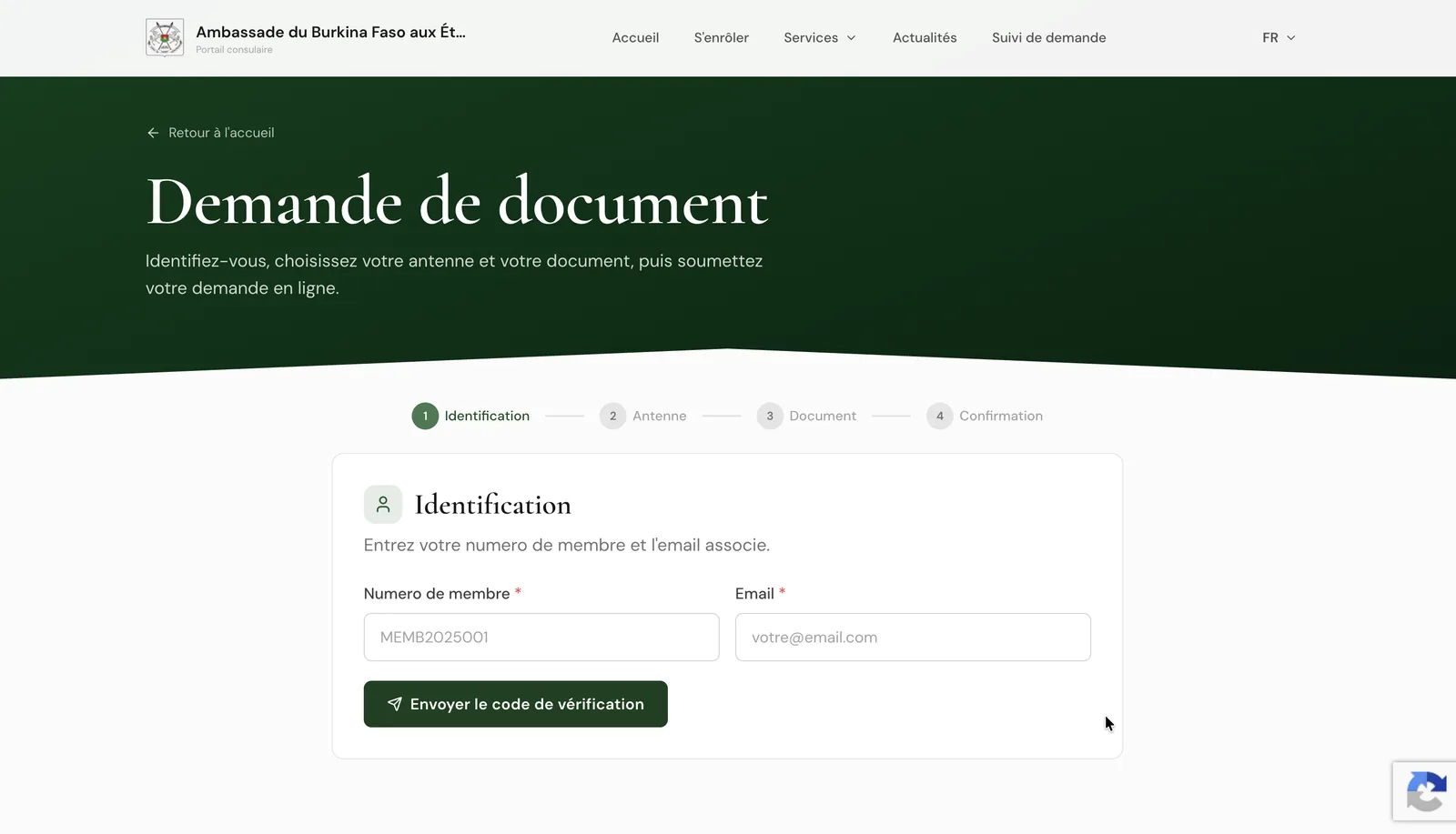
Identification by one-time code
A document request does not open an account. The applicant enters their membership number and email address, receives a code, and the path opens for that request.
It is lighter than an account to create and safer than an anonymous form: the document goes to an address verified as belonging to the applicant.
Supporting documents and additional information
- Expected documents defined per document type, marked mandatory or optional
- Accepted formats: PDF, JPEG and PNG, up to 5 MB per file
- An additional-information field whose label belongs to the document type, where a detail is needed for review
- Reason for the request, optional: some documents need no explanation
Third-party authenticity checking
A receipt or an issued document carries a number and a QR code. The third party receiving it — bank, employer, host-country authority — reaches a verification page reporting the document as authentic, cancelled or unknown.
Authenticity rests on a cryptographic signature, and verification discloses only what is needed: number, issue date, beneficiary, branch, description and amount.
Frequently asked questions
Is an account needed to request a document?
No. Identification uses a membership number and email address with a one-time code sent by email. There is no password to remember.
How long does issuance take?
It depends on the type. Automatically generated documents are emailed within a minute of submission and payment; the others follow the turnaround stated on the document, before the request.
How does an employer verify a certificate?
Through the document's QR code or number, on a public verification page. It reports the document as authentic, cancelled or unknown, disclosing nothing beyond what the document already carries.
What if a supporting document is missing?
Documents marked mandatory block submission: an incomplete case cannot be filed, which avoids a round trip through review.